
Pafta · Multi-Pane File Manager Every folder, side by side

Pafta is a file manager for the Mac with up to four panes. Put folders side by side, keep tabs and workspaces open, and get to any file in a few keystrokes.

Download on the Mac App Store

For Mac · macOS 14 or later

PANES, TABS AND WORKSPACES

Up to four panes with tabs, workspaces and a clickable path bar.

01FIND THINGS FAST

A few letters. Found.

Jump to any file or folder, best match first.

  • Quick Open: type a few letters and jump to any file or folder below the current one, best match first
  • Search by name, in subfolders or with Spotlight
  • A command palette for every command, and Quick Look previews
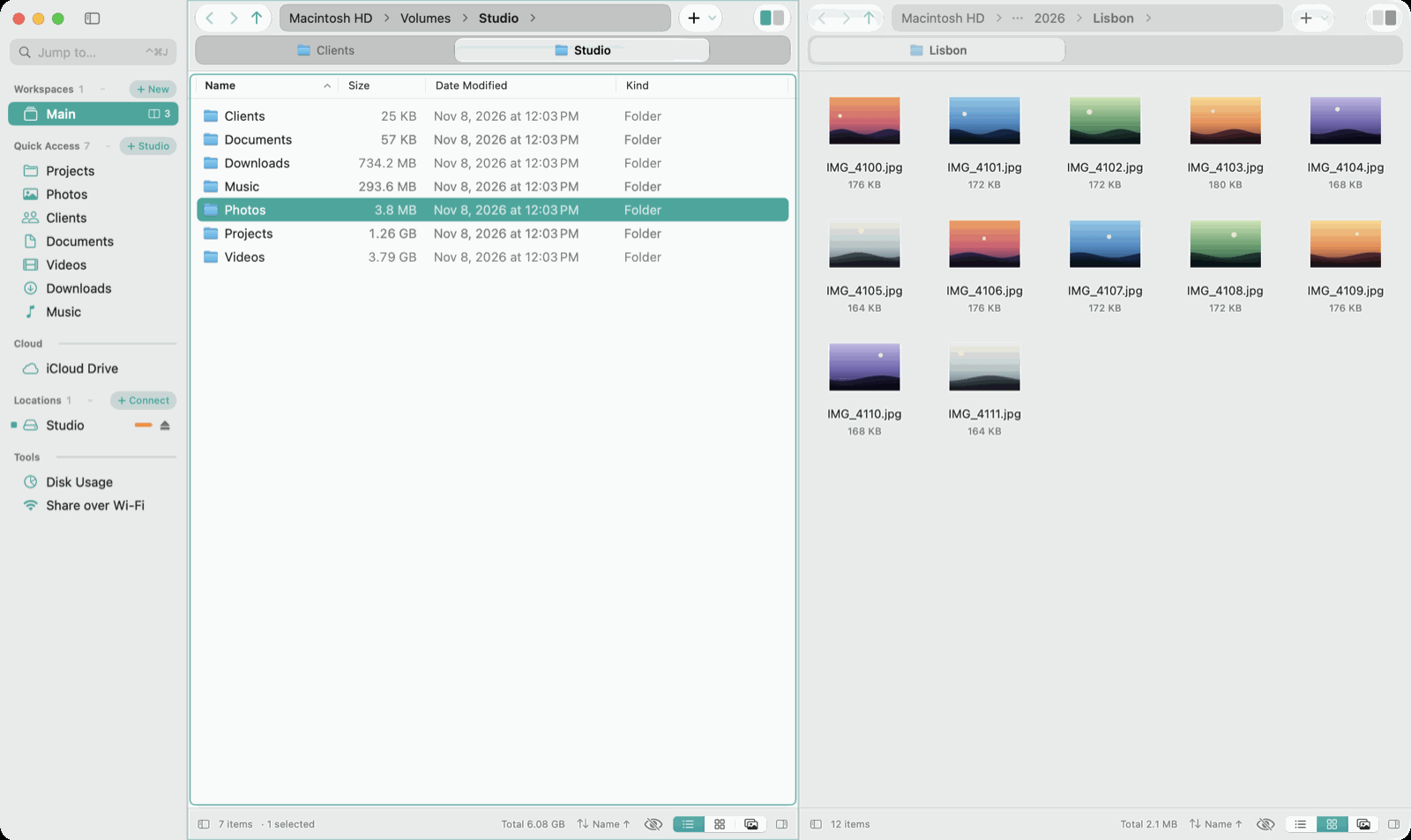
A few letters. Found. Jump to any file or folder, best match first.

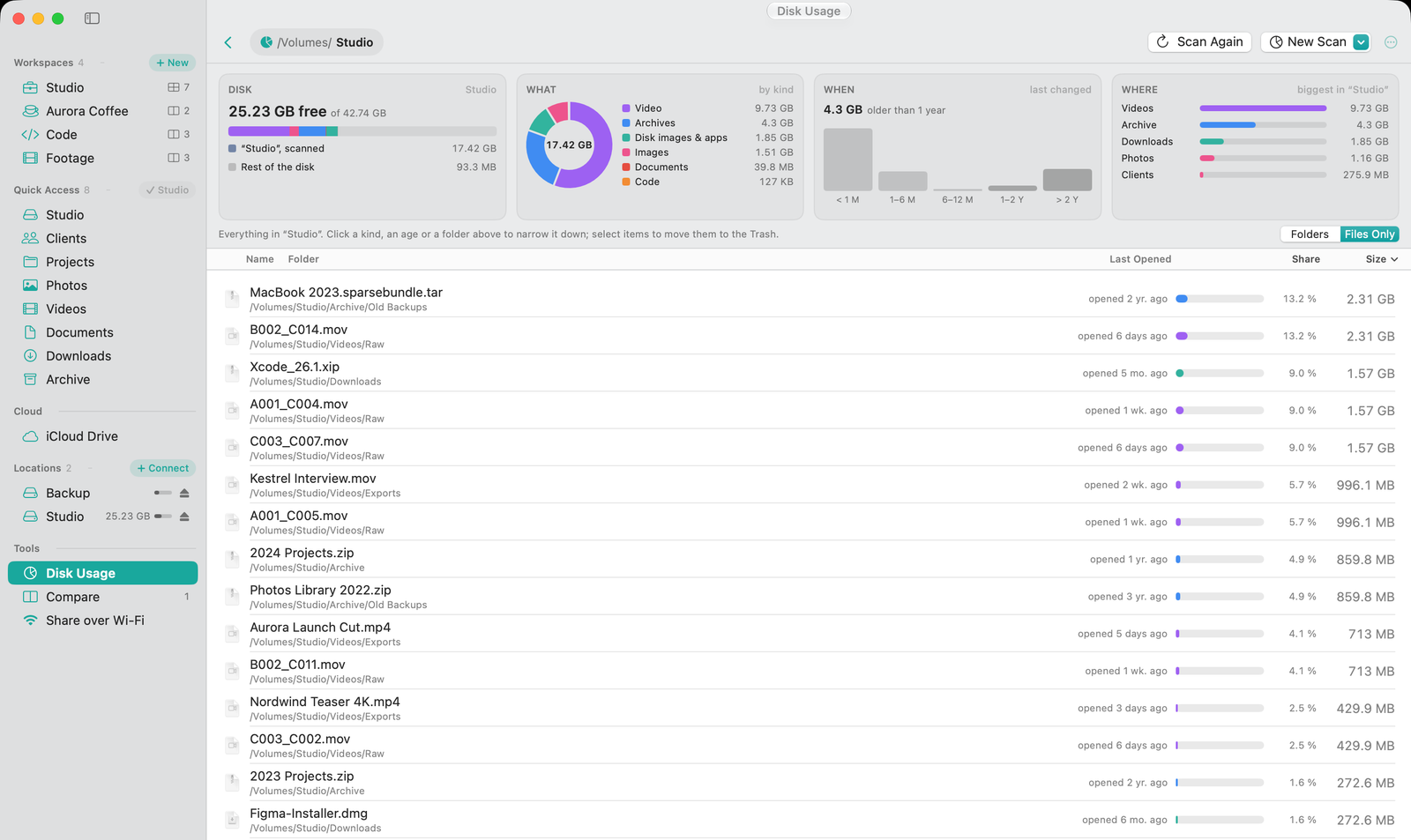
02SEE WHAT TAKES UP SPACE

See what fills your disk

Largest first, by kind, age and folder, down to the files you no longer open.

  • Folder sizes on request, remembered for next time
  • Disk Usage: what fills the disk by kind, age and folder, plus the largest files and folders, filtered by kind, size or when they were last opened
See what fills your disk Largest first, by kind, age and folder, down to the files you no longer open.

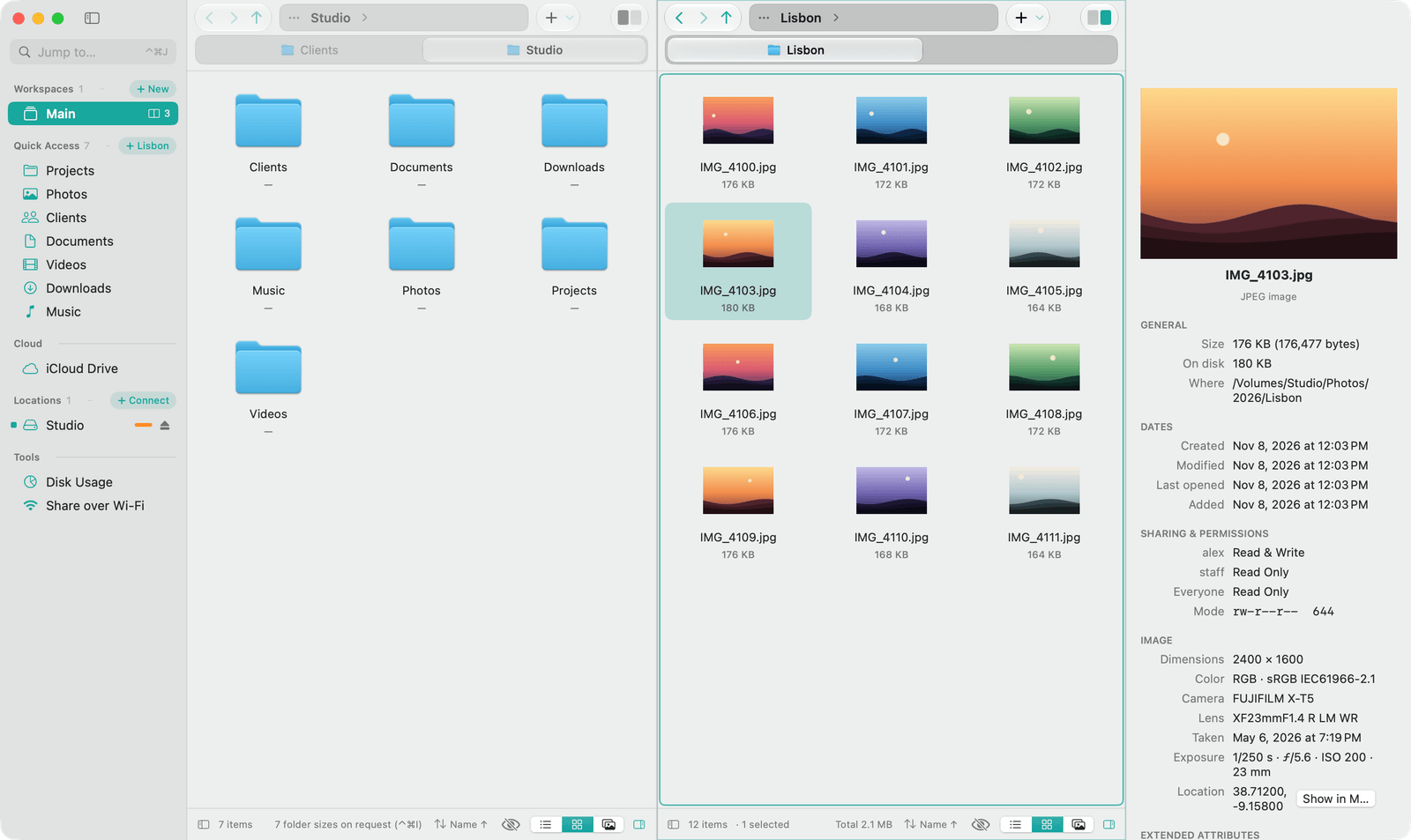
03EVERY DETAIL IN THE INSPECTOR

Every detail, one click away

Permissions, camera data, media info and app signatures.

  • Size, dates, owner and permissions
  • Photos: dimensions, camera, lens, exposure and location
  • Movies and audio: duration and codecs. PDFs: pages and author. Apps: version and who signed them
Every detail, one click away Permissions, camera data, media info and app signatures.

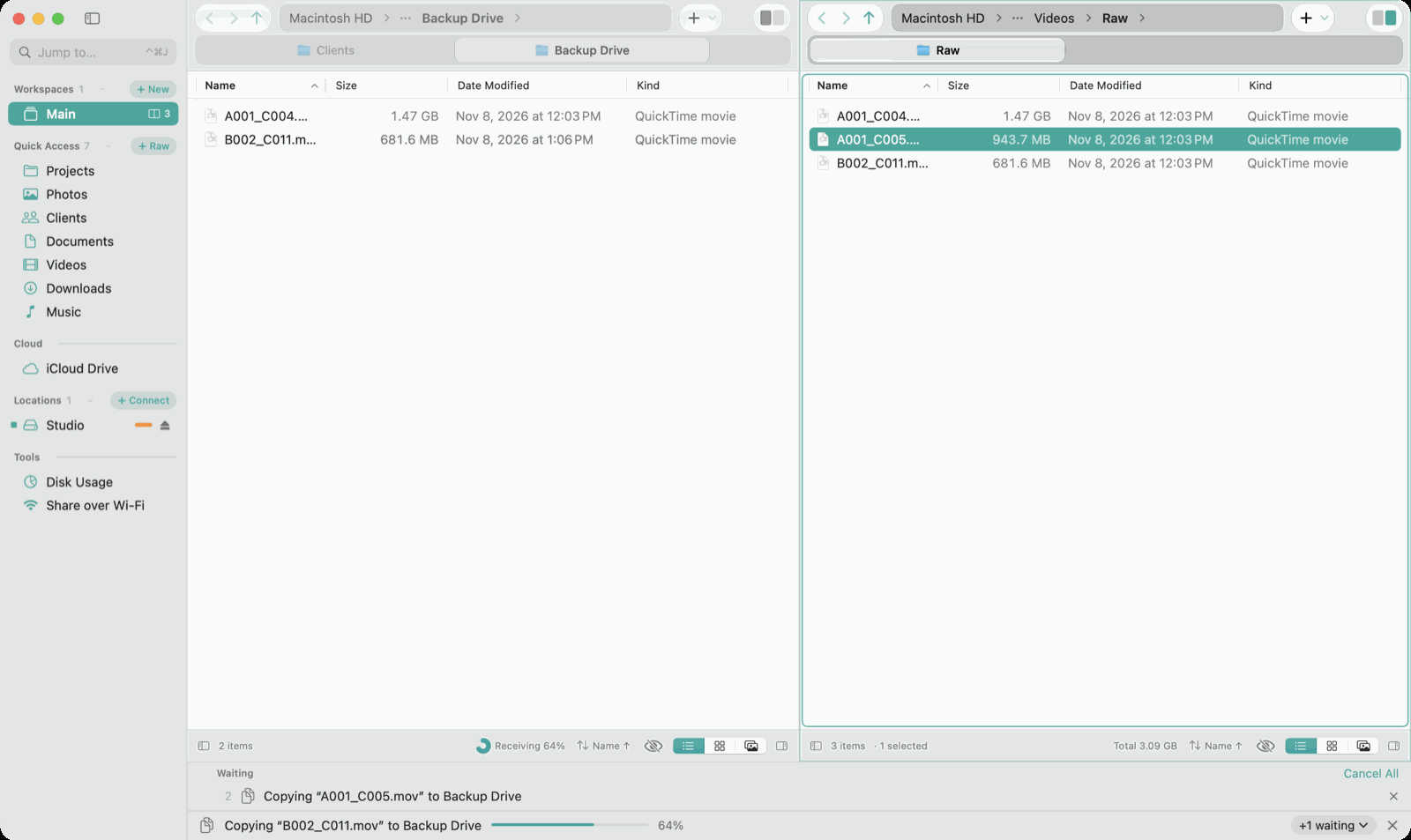
04WORK GOES ON IN THE BACKGROUND

Copy big. Keep working.

Jobs wait in a queue. Copies, moves, renames and the Trash can be undone.

  • Copies, moves and Trash jobs run in the activity bar with progress and Cancel
  • Further jobs wait in a queue. Name conflicts are decided right there: Keep Both, Replace or Skip
  • Undo and redo for moves, copies, renames and the Trash, with a history that survives quitting
Copy big. Keep working. Jobs wait in a queue. Copies, moves, renames and the Trash can be undone.

AND MORE

YOUR FILES STAY YOURS

Private by design

Pafta has no account and never uploads your files. It only reads the folders you allow it to see. Deleted items go to the Trash, and every file operation can be undone.

  • No account, no sign-in
  • No analytics, no ads, no tracking
  • Your files are never uploaded

Read the privacy policy

Get Pafta for your Mac

Your whole Mac in one window: up to four panes, workspaces and power tools. Change levels with a keystroke instead of switching windows. File work is fun again.

Download on the Mac App Store

For Mac · macOS 14 or later · Pafta's interface is in English.